How to Inventory Collectibles with Photos
A collectibles inventory is only as good as its photos. For insurance claims, estate planning, or plain peace of mind, you want every collectible photographed from multiple angles with its condition, grade and details recorded against the images — stored somewhere that isn't the same shelf that could burn, flood or walk away. TrophyShelf turns that chore into a camera roll session: shoot, let AI fill the fields, save.
What a claim-ready inventory looks like
Insurers and appraisers want three things: proof you owned it, proof of its condition, and enough detail to value it. That means clear photos of the collectible and its identifying marks, a recorded condition or grade, the year and set, and ideally a note of provenance and purchase price.
In TrophyShelf each collectible holds up to 10 photos plus structured fields: condition, a description, and — the three that matter most for a claim — Paid, Est. value and Where acquired. Card types add grading on top. Ten angles per piece is what turns a shelf into a record an assessor can work from.
Set it private — the default is not
Inventorying is not showing off, and the app keeps the two as separate decisions — but the defaults run in opposite directions at the two levels, which is worth understanding before you trust it with serial numbers.
A collection is private unless you publish it. Nothing inside a collection you have not made public is reachable by anyone else, which is the safe half.
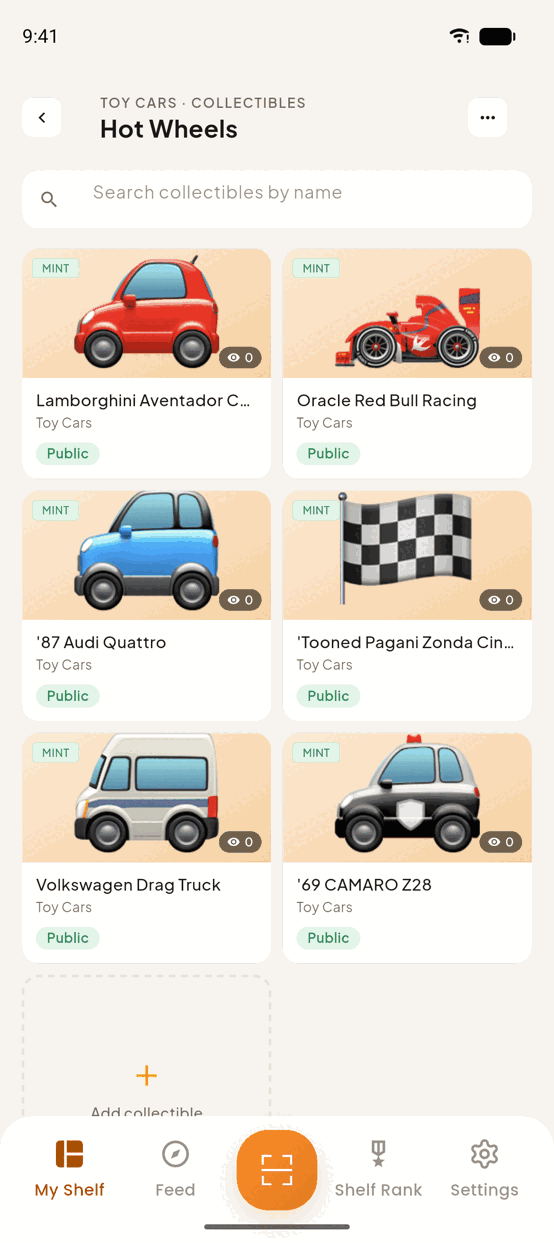
A collectible inside a public collection is public unless you say otherwise. Step 4 of the add flow offers Public and Private side by side, and Public is the one already selected — described, accurately, as appearing in the feed for anyone to discover.
So for an inventory the reliable answer is to keep the collection private. That is one decision, made once, rather than a per-item tap you have to remember on every piece at the end of a long cataloguing session.
⚠️ Private also takes the piece off your curated shelf, because a private collectible cannot sit on a public one. For an inventory that is the right trade — but better to know now than to meet it as a surprise.
If an adjuster needs to see a piece, note that a private one has no public page to link to — publish it briefly, or simply send the photographs.
The fields a claim actually rests on
Which fields should I fill first?
Paid, Est. value and Where acquired — all three are real fields on every collectible, and all three are commonly typed into the description instead, where nothing can read them back. Est. value is where replacement cost goes; Paid is what you actually spent. A claim conversation starts from the first and is checked against the second.
What will the AI not fill in?
Exactly the fields an inventory depends on: condition, Paid, Est. value and Where acquired. That is deliberate. No photograph contains what you paid, so a model asked for it would invent a plausible number on the one field where a plausible wrong number is most expensive.
Everything it does fill carries an AI badge, so you can always tell the model’s reading of a photograph from your own record of a purchase.
How many photos, and of what?
Ten per collectible. Spend them on what an assessor argues about rather than what looks good: front, back, corners and edges, maker’s marks, serial numbers, and every existing flaw. A flaw photographed today cannot be called new damage tomorrow, which is the whole reason to shoot them before anything happens.
Does a private inventory still count as a record?
Yes — it is a record for you, and privacy does not weaken it.
⚠️ But a private piece cannot be handed to an adjuster by link. Private collectibles are never written to the public projection at all, so there is no page to send: the link would not exist rather than be refused. To show one piece to an assessor you have to publish it, look, and set it back — or send the photographs the ordinary way, which for a claim is usually what happens anyway.
Build your inventory in TrophyShelf
- Work shelf by shelfCreate a collection per physical location or category, then photograph collectibles in place before shooting close-ups.
- Shoot the angles that prove conditionFront, back, corners, edges, maker's marks, serial numbers, and any flaws — flaws documented today can't be disputed tomorrow.
- Let AI fill the identification fieldsThe printed facts are pre-filled from your photos, each carrying an AI badge. Condition, Paid, Est. value and Where acquired it deliberately will not touch — no photograph contains them.
- Set each piece PrivateStep 4, before you save. Public is preselected, so this is the tap that keeps an inventory out of the feed.
- Refresh after changesNew grade, new damage, new purchase — update the collectible so the record stays current.
Pro tips
Questions
Is my inventory visible to anyone else?
Only if you set it that way. New collectibles default to Public and appear in the discovery feed — choose Private at step 4 of the add flow and the piece is visible to you alone. Do that before you record values, flaws or serial numbers.
Can an appraiser see one piece without an account?
Yes. Share that piece's direct link and it opens in their browser — no download, no sign-up.
How often should I update it?
A 15-minute top-up each month for new acquisitions beats an annual marathon, and keeps the record current when a grade or a condition changes.
Ready to put it on the shelf?
Free on iOS & Android · Unlimited collections · 15 AI autofills a month · No credit card.
Start your shelf →